AutoStandByPro Help – Contents · AutoStandByPro website

Execute Actions (Forced)

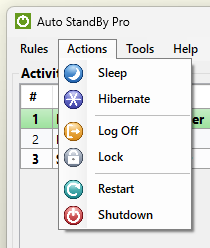
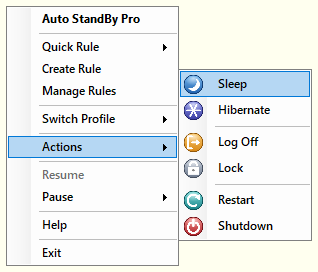
AutoStandByPro can execute Actions immediately without the use of rule(s). If order to execute an action such as “Sleep”, “Hibernate”, “Log Off”, “Lock”, “Restart” or “Shutdown” please either:

  1. Open the Activity Monitoring window and from the “Actions” menu select the corresponding action that you wish to execute

  2. While the AutoStandByPro application is minimized to th "System Tray" click on the application system tray icon and then from the context menu select “Actions” and then the corresponding action.

In any case AutoStandByPro will ask for confirmation before executing any action.

Please note that AutoStandByPro will force the execution of the above actions.