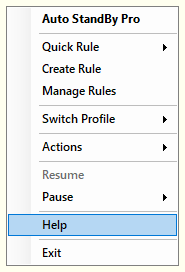
Open the “Activity Monitor” window and click “Help”, or right-click the system tray icon and select “Help”, to reach three ways to reach out to the AutoStandByPro team directly from the application:
All three open in your default web browser and are the same forms available directly on the website. They do not require an internet connection to reach the menu itself, only to actually submit the form.