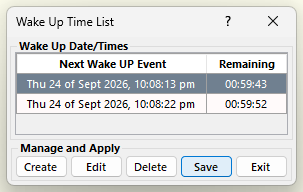
Any change you perform on the events on the “Wake UP Time List” window will not take effect until you save them. Please click on the “Save” button to save and apply the changes in the wake up events. AutoStandByPro will notify you that the wake up events has been saved. Click “OK” to apply them.