Occurs on the given Date/Time. In order to create a rule using this kind of trigger first select from the "Trigger" section 1 "Time-Based" → "By Date". Then from section 2 from the "Date" field select the date and from the "Time" field select the time on which the trigger should activate.
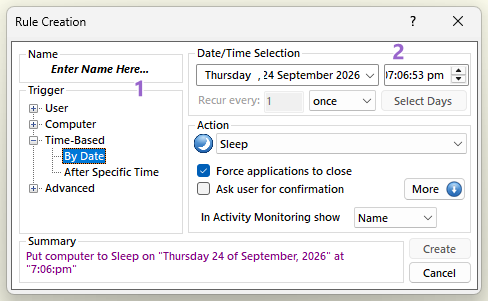
Repeating a By Date rule
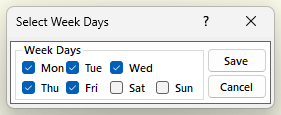
By default a By Date rule runs once. To repeat it, enter a number in "Recur every" and select "minute(s)", "hour(s)", "day(s)" or "week(s)" from the drop down menu. With "week(s)", click the "Select Days" button to choose the days of the week on which the rule runs: tick the days in the "Select Week Days" window and click "Save".
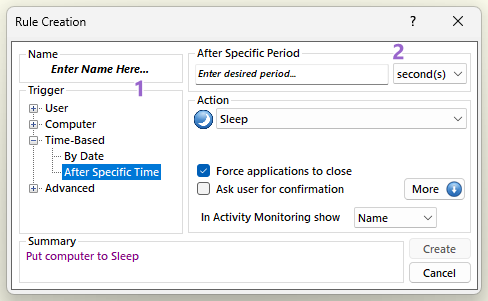
Occurs after the specific time has passed. In order to create a rule using this kind of trigger first select from the "Trigger" section 1 "Time-Based" → "After Specific Time". Then from section 2 enter in the "Enter desired period..." text field the period and from the drop down menu select either "seconds", "minutes", "hours" or "days".